
Want play some BombSquad, but short on controllers? Not a problem. Use your phones and tablets as controllers with the free BombSquad Remote app.




Now Open Source!
Want to improve BombSquad Remote or just see how it works? Now you can.
For questions, comments, and bug reports, email support@froemling.net or check out the BombSquad facebook page.
Are you going to put BombSquad Remote on Andriod?
Done. 🙂
Does the remote app only work with wireless lan or also via Bluetooth like ps3 and wii controllers?
Currently its wireless lan only, though I may look into adding bluetooth or wifi-direct support at some point
Bluetooth would be great for phones because my college buddies and I want to play at school but our firewalls won’t allow for LAN play. :'(
I’ve got that on my to-do list; hopefully I can get to it soon. In the meantime you might want to try WiFi Direct.. it takes a little bit of setup (and a newer android device) but it might work for ya in the same way..
Bsremote is great app but guide me on how to play gather>local party game with controller
Eric erm when is bombsquad going to be actually coming out on IOS becuz I’m waiting
At this point, I don’t think he will be releasing it for iOS so you’re better off buying an android.
I’m very sorry iOS has taken this long, but I promise I will be releasing there when I get the 2.0 update done.
You should make it so that when you connect to a device you can see the game on the device with the remote app. I have the actual game on another phone and it’s hard to see what I’m doing because the screen is so small.
Can you please put “bomb squad” On IOS because I had an android and it broke and I got a iPhone, but the game is not there.
Already did
Thats already there in the future
Any plans to release an Android remote app? Would be very useful…
Android need!
I think a networked controller would be good so people can use their keyboard controls instead of sharing input on one device. But I ain’t complaining. Good job Eric.
FULL IPHONE BOMBSQUAD!!!
Working on it 🙂
how to use the iphone remote?
My mac opens the game and both are in the same wifi network,
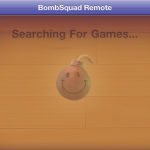
but the iphone still says “searching for game” all the time….
Try making a network from your mac and connecting your iphone to it..
I had the same problem and that worked.
Tried that as well, no problem with connecting. Still no control . . 🙁
Hmm that may mean you have a firewall or some other security software preventing data from getting through. You could try disabling stuff like that on your router and see if that helps. Another thing worth trying is creating a network directly on your mac (“Create Network…” under the airport menu) and connecting your iOS device directly to that. It’s kind of tedious, but one upside is that data will be going straight to your Mac so your latency should be really low.
I am not able to get the remote to display the controls. I have an iphone 5 and am running v. 1.3.1 of bombsquad. It says searching for games and then I start the app and it finds my computer and displays the name, but does not show any controls. I have tried uninstalling and reinstalling, rebooting each device and creating a network and connecting directly to that. None of that shows the controls on the remote app. What am I missing?
I am an idiot. I finally touched the computer name and it accessed the controls.
Ha no worries that’s happened to several people. I need to make it more obvious that you have to tap on the name.
ANDROID controller app needed!
Pls do it!
And by the way – awesome game.
But we can’t play it in multiplayer…because there is no android controller 😉
You guys recently updated the app so that it only works on iOS5 now, so can you send me a download link to the version of the app that works with iOS4.2.1 because my iPod is a second gen and cannot update to iOS5. Other than that great game!
Sorry for the slow response, but I just submitted an update to the iOS remote which *should* run on iOS4 again.. it should be out in the next week or so. I don’t actually own any iOS4 devices to test on but hopefully it works for you…
I wish the Android version of your remote functioned the same as the iphone version. At least it should have a fixed joystick. The floating one is extremely annoying and makes playing the game impossible.
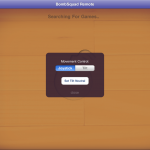
I’ll throw that on my list of things to add.. I wanted to streamline the remote and wasn’t sure if anyone actually used the tilt or fixed-joystick options.. I’ll take this as a yes.
I have an iPhone and I have always used the fixed one. 😉
Just uploaded 1.2 with a fixed-joystick option. It should be available in a few hours on google play and a few days on amazon..
hello again! i tried the Android remote last night, and it works quite well. in some cases, it’s a bit superior to the hardware remote in that button combos and sequences are a little easier on the touch screen.
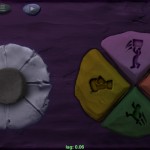
but… running. i sorta figured it out, but unless i’m doing something terribly wrong it’s not really a feasible control scheme for me. as far as i can tell, you just tap somewhere off the button rose to run, but you also tap one of the buttons. i’d much prefer if the directional pad had a second ring (optionally?) out the outside that you pushed the “joystick” in to to run in that direction. it might cause inadvertent running until you get used to it, but i’d take that over the awkward running now.
Cannot for the life of me get the wifi to work across multiple devices. 2 android devices and 1 iOS to use them as additional controllers for the ouya bombsquad game. I have disabled all firewall settings and filter blocks and the apps cannot detect any active bombsquad games and/or during the waiting for local players phase.
They are all connected to the same wifi router network.
Make available for IBM computers
Dear Eric,
i really enjoy your game and instantly bought it for my OUYA, as well as an additional Character. 🙂 It is a great Game, but i switched through the settings and there is one thing that confuses me: I found the graphics section in the settings, but there is no possibility to switch to high or even very high settings. I guess thats because the OUYA hasn’t got such a great graphic power(slow tegra :(…)? So i continued trying to push the Game to my Android Phone. It didn’t went well…. In fact it didn’t even start. Are you going to release the game for android phones as well? Because i really would like it to play this game on my phone. Because the OUYA gamepad can be connected to the Phone as well, i think it would be great fun 🙂
I would be happy if you would text me back.
Greetings from Germany!
Yours sincerely
aMATHOer
Glad you like the game!
The OUYA version won’t run on standard Android hardware as it requires some OUYA-specific libraries.. but I’m working on a general android version too that I plan on releasing. Email me at support@froemling.net if you’d like to try out a beta version.
Hi Eric,
I’m running BS on my MacBook and BSRemote on my Android tablet. The BSRemote can find the game, but keep ‘connecting’ and cannot join in the game.
The system’s firewall is not opened, and they’re of course connected to the same WiFi. Anyway, BS is a nice game and I want to play it with all my friends!
Bitex
That’s odd.. This is janky, but one thing you might try it looking up your Mac’s IP address (in network preferences or whatnot) and connecting to that using the ‘Connect to Address…’ menu item on the Android remote.
i cannot connect my mac from BSRemote (android 4.4 ),i even used “connect to address” option.it only display “connecting”…….., all firewall are off.
plzz help ………….
Not sure what it would be offhand… :-/ It could be a number of things preventing packets from making it from point A to point B on your network.. usually firewalls or security software are the culprit, but if you say that’s turned off I’m not sure what to have you try next..
When is the FULL game going to be on iPad or iPhone or other Apple device except for mac
That or PC is next on my list.. won’t be too much longer..
put it on apple app store on iphones pleaseeeeeeeeeeeeeeeeeeeeeeeeeeeeeeeeeeeeeeeeeeeeeeeeeeeeeeeeeeeeeeeeeeeeeeeeeeeeeeeeeeeeeeeeeeeee
Will do.. hopefully won’t be too much longer…
Hi Eric,
Your game is amazing and I wanted to congratulate u for having so much talent in this stuff!! 🙂 So my question is that I have a android tablet and I wanted to connect to it. But I couldn’t, it wouldn’t show up in the bombsquad remote app. Could u help me? It would be greatly appreciated!!!!!! 🙂
-Ethan
Hi Ethan,
Thanks!
It’s hard to say what the problem might be there.. usually it’s network security or firewall settings preventing devices on a network from discovering each other. (make sure they’re on the same network to start with). If you’re using the Android version of BombSquad Remote you can try the ‘Connect by Address’ menu item too.. (you just need to find out what the IP address of your tablet is)
I have BombSquad in my Android and i play it every day with my friends!
Hello. Can i play BombSquad with computer?
Yes there’s a Mac version and there will be a PC version coming soon. Email me at support@froemling.net if you’d like to try out an early test build.
Ok, I have Acer with Windows 8. I’m waiting 🙂
I got bombsquad and it just says finding games forever…
If your remote device is on the same network as the game but you’re not seeing it, that usually means there’s router settings or a firewall or something preventing them from talking to each other… If you’re using the Android remote there’s a ‘Connect by Address’ entry in the menu you can try (if you can find the IP address of the device running the game). Hope that helps..
I am on my wifi, do i have to have the game on Mac and connect it to my device? I just got it off the AppStore thinking it would be a fun game, but it just loads forever.
Generally this is a network security or firewall setting preventing your iPhone/etc from talking to your Mac. You can try twiddling security settings on your router, or if you’ve got an iPhone you can make a network on your mac in the airport menu and connect the phone to that and it should work.
Sir can you please make a versio for ios. Android has bombsquad, but ios just has the remote version :(.
is chromecast support planed for someday in the future? If yes, there is anyway to help?
Sir can you please pay attention to your posts an actually reply. Thanks for the effort!
Not trying to be rude; my inbox has been a disaster zone this last week after the Google Play feature; I physically can’t respond to everything right now; doing what I can..
Ok, my apologies. Is it possible to make it like android? My friend has it on android where you can play the game without a Mac so would it be possible to do that with ios? Maybe make it paid?
Yeah it’ll be pretty similar to the Android one, with a few minor differences here and there.. (and network play will be cross platform so you can do iOS vs Android vs Mac vs Windows, etc.)
Can you let me know when it’s done please?
Can u make it to where we can use a ps3/xbox controler i thought it would be fun and a little easier
You should be able to already.. which platform/hardware are you using?
If u r using an android device as a screen can u use an iPhone as a remote???
yup.
Any ideas on when the new game is coming out?
Make Bombsquad Remote For PC
How do you make the soundtracks for the game?
OR
Who do you contact? What is someone to do for you?
My friends say that it does not seem like my local red party
Why friends can not I join my party in local red?
in Android can you try adding Sprint button ? that would make the game easier and much more fun so please add it
Any plans on releasing a windows phone remote app?
I downloaded bombsquad in my windows pc and when i try to connect with bs remote in android, it shows connecing… i waited for a long while it doesn’t connecting, I also tried to connect by address.. please help me
Can you make this compatible for computer or at least the remote
Bomb squad remote is a good app. But i think you should make that once you download it connect to the nearest bomb squad app
I have an iPhone device, so as my friend. We both installed bs remote. However we can’t get passed the screen of searching for games. We are both connected to the same WiFi. How can we play if we don’t see any game. It says connect by address but how do we do that? Most instructions say to press “gather” but we don’t see that option. Do we need to have the game installed in a computer? Or can we just play on our iPhones.
how can one connect via address